Impressed by the Twitter Remote widget from the Twittercounter people, I have written a WordPress plugin to make life a little easier for my fellow WordPress users: you can fill in your preferences and use the widget as a regular WordPress widget.
You can download the plugin from the WordPress plugin repository.
Here’s bit more information and the inevitable screenshot. People love screenshots.
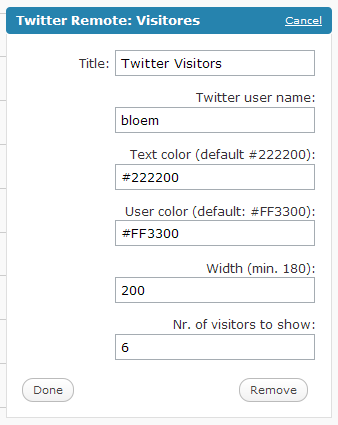 Here’s how it works:
- Download the .zip file
- unpack the .zip file in your plugins directory
- In the admin section of your blog, activate the plugin
- In the “Appearance” menu, choose “Widgets”
- Activate the twitter remote widget
- Fill in the form you see on the left
- Click “done” and save your changes
- Report your succes or failure in the comments below.
BTW: the name “bloem” you see in the screenshot is my daughter. My twitter name is @zjuul. I tweet in Dutch, please beware 😉
So what are you waiting for? Grab the plugin!